Release Notes
-
Version 5.2.0
Sunday, July 12, 2026It's been a while since our last release, but we haven't been sitting still - most of the work went into the parts you don't usually see. We've moved to new hosting and modernized the entire app from top to bottom. The result is a smaller app, faster loading, and a brand-new player that brings sample-accurate switching to the web. Thanks to everyone who kept sending feedback while things were quiet - a lot of what's below started with you.
What's New
-
We've added the first sample-accurate audio player on the web, and it loads tracks noticeably faster too. It's a big change, so we're keeping the old players available in this release as well. The new player is the default for any new project. For existing projects, please enable it trough the edit project menu item.
A brand-new player
-
You can now keep a note on each project under project details - handy for session notes, a to-do list, or anything your collaborators should know.
Project notes
-
Open your account settings and choose your color that shows up with comments.
Pick your own comment color
-
The summary email that rounds up what's happened across your projects has a more modern design that's easier to read.
A clearer activity digest
Bug Fixes & Improvements
- Improved the title and artist detection when uploading, and fixed a few bugs with automatically matching your file to the right song.
- On mobile, tapping a song's comments no longer sends you to the wrong version, and the download button is back where it should be.
- Made the connection to receive live updates more resilient.
-
-
Version 5.1.0
Tuesday, June 3, 2025Thank you to everyone who shared feedback for this release. Many of the new features and improvements come directly from your suggestions. If there's anything else you're missing or would like to see next, we'd love to hear from you.
What's New
-
URLs and time markers in comment text now behave as you'd expect - click to open a link or seek directly to that moment.
Clickable links & timestamps in comments
Feature requested by users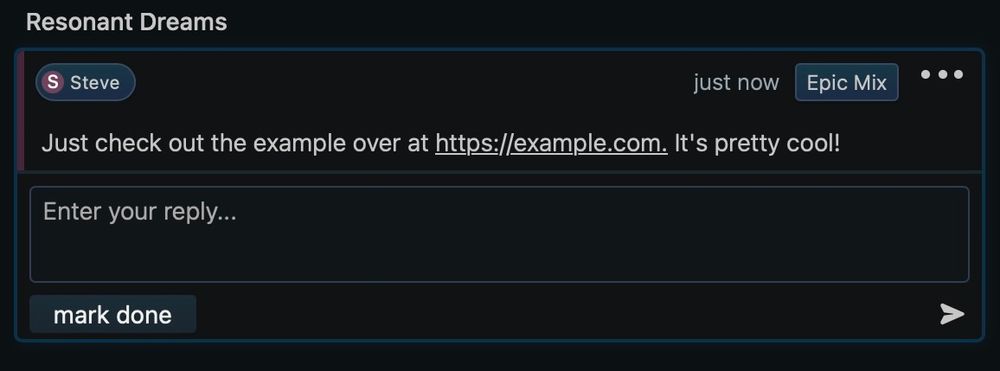
-
Press Enter to create a comment. Use ← / → to seek backward or forward by 3 seconds while listening.
More keyboard shortcuts for power users
Feature requested by users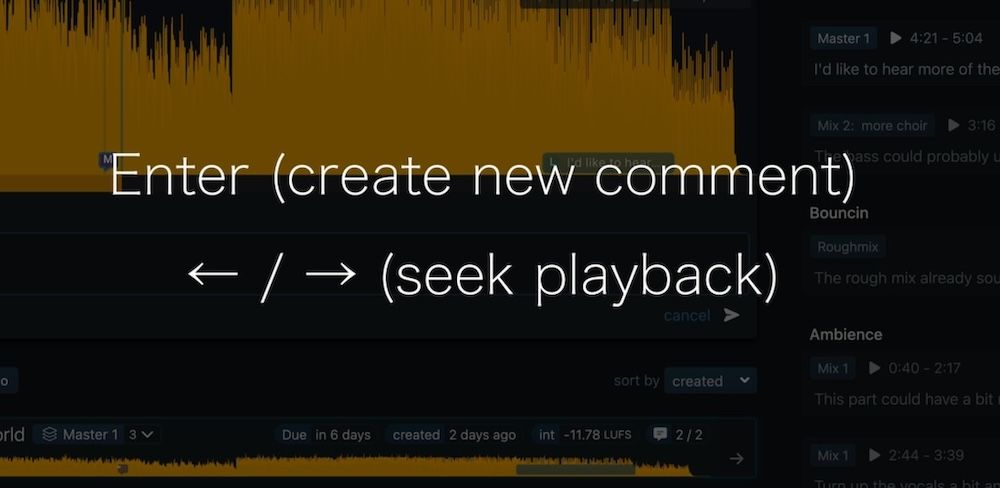
-
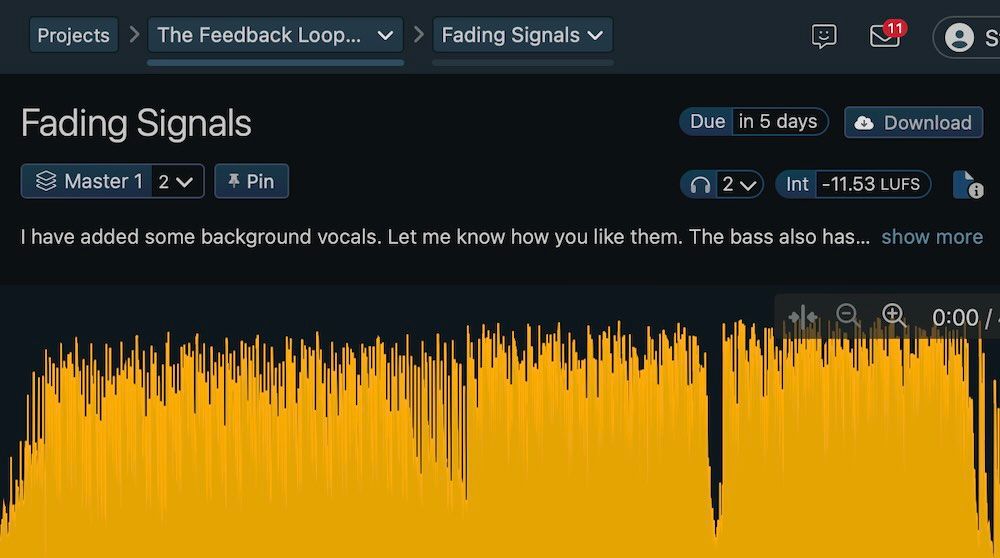
Comments now feature a subtle colored border based on the author, making discussions easier to follow. We also restructured the header: the user's name is now on the left, and the version title on the right - for quicker context at a glance.
Improved comment layout with author color highlights
Feature requested by users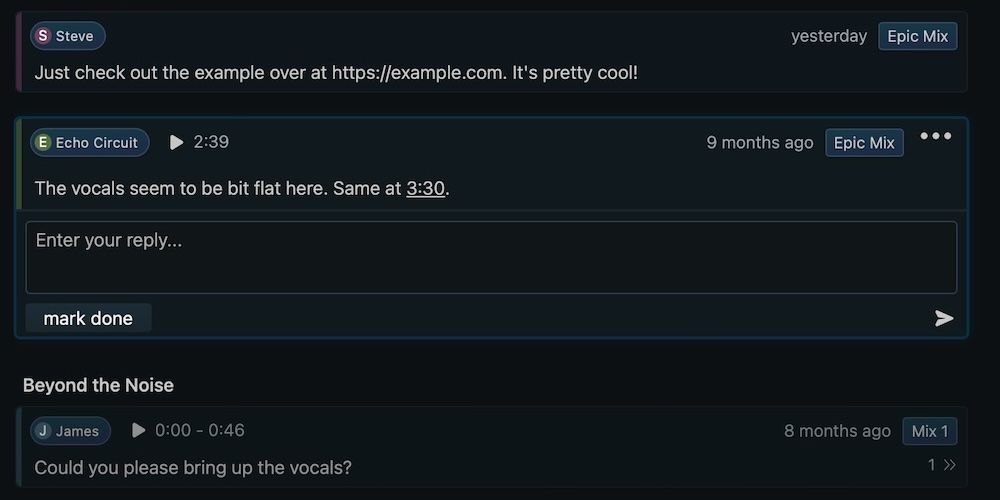
-
If a user doesn't have permission to download a file, the download button now still appears (but in a disabled state). Clicking it reveals a short explanation, so it's no longer a mystery why the option isn't available.
Download button with clearer permissions feedback
Feature requested by users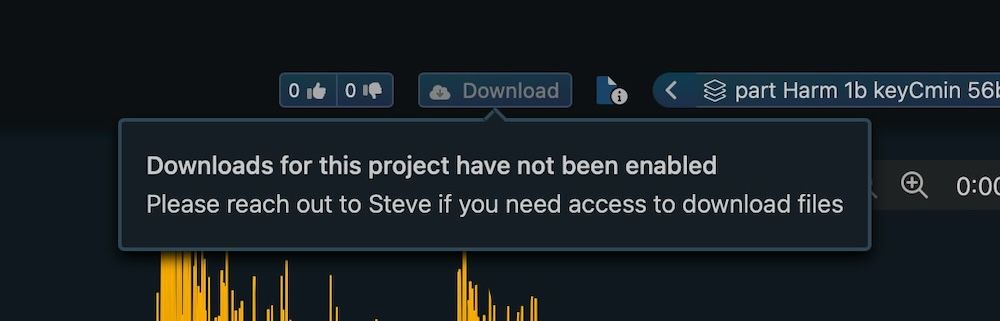
-
We've polished a number of layouts to reduce friction and improve clarity: Version notes are now easier to read and better aligned with the interface. The share modal has been redesigned for quicker, clearer link creation. On the Projects page, todo items are styled for better visual separation.
Visual Refinements Across the App
Bug Fixes & Improvements
- This update comes with numerous bug fixes. However, if you still come across any issues, please reach out using the feedback button in the navigation bar or via our contact form.
-
-
Version 5.0.0
Sunday, May 11, 2025Thank you to everyone who shared feedback for this release. Many of the new features and improvements come directly from your suggestions. If there's anything else you're missing or would like to see next, we'd love to hear from you.
What's New
-
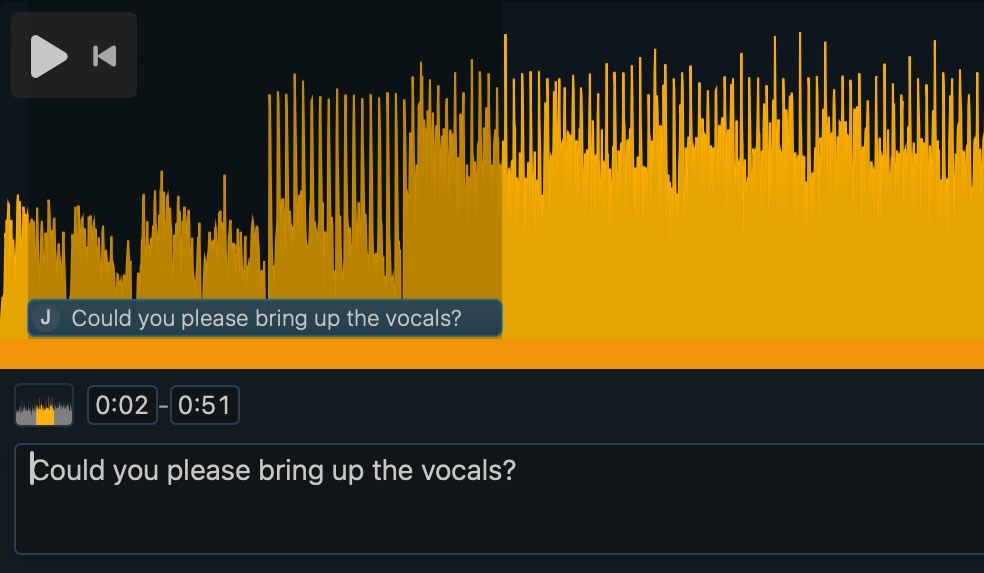
We’ve completely redesigned the comments feature with a clean, modern look and our new user icons. You can now switch between comments at a single point, a time range, or for the whole track. Additionally, you can now enter the position of the comment directly.
Redesigned Comments
-
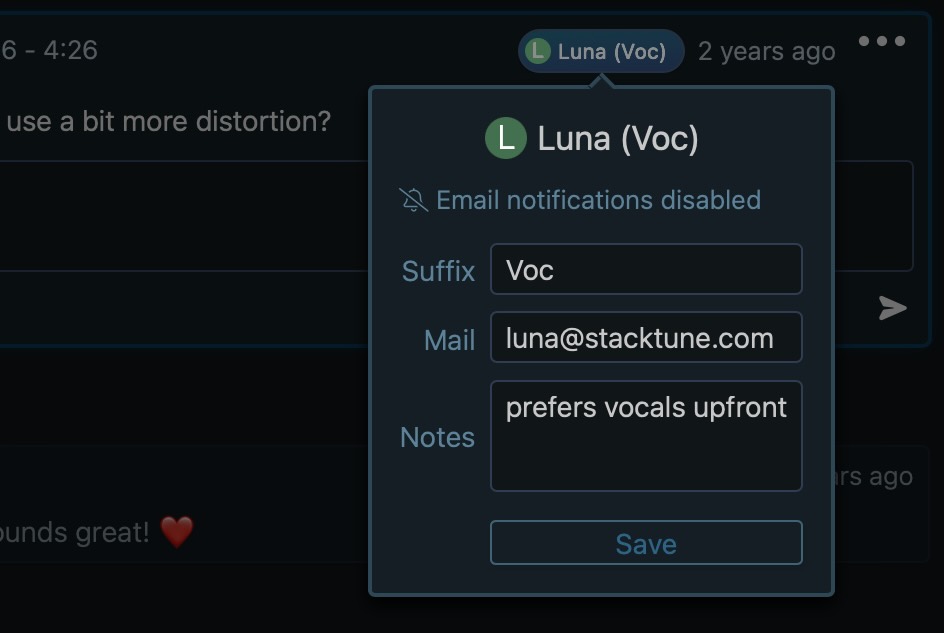
Each user now has a personalized icon featuring their initial and a dedicated background color. Click on any user icon to add useful details such as personal notes or a suffix to their name.
User Icons
-
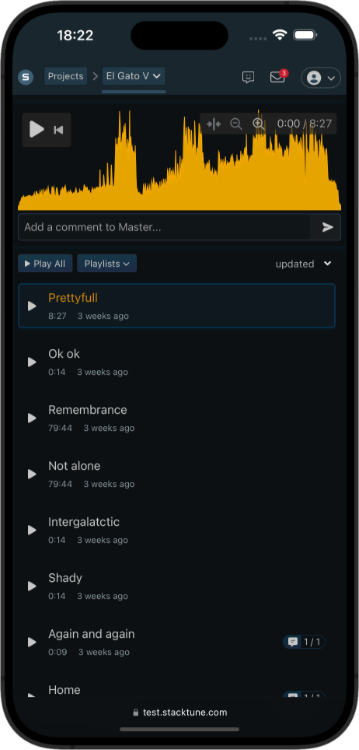
We’ve updated our mobile experience! The new layout is cleaner, less cluttered, and easier to navigate. Buttons and touch targets are better spaced, and key actions are now easier to access—even on smaller screens. Whether reviewing comments or switching between songs, everything feels smoother and more intuitive on mobile.
Mobile Redesign
-
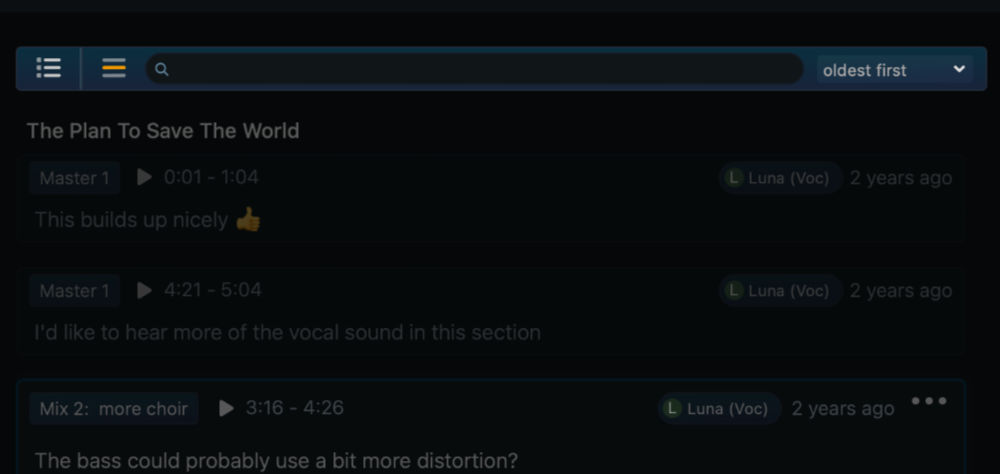
Managing comments has never been easier. With the new header in the comments section, you can filter out completed tasks, show comments related only to the current song, or quickly search to find exactly the one you're looking for.
Comments Header, Filter & Search
-
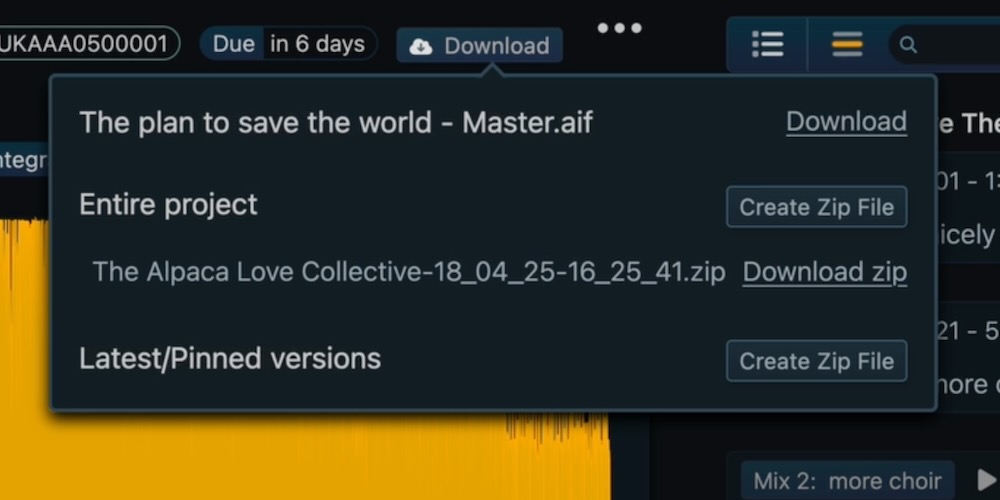
We’ve added support for exporting all project audio files as a ZIP download. You can also choose to export just the latest or pinned versions.
Project Zip Download
-
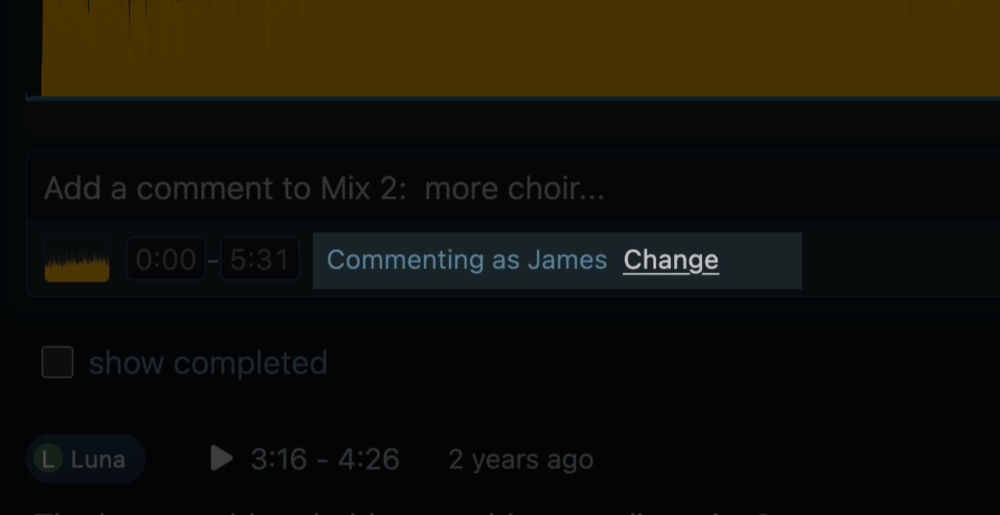
When inviting new members, Stacktune now automatically suggests a name based on your invitation. This gives new collaborators a seamless onboarding experience. They can still adjust their name freely when joining.
Invite with Suggested Names
-
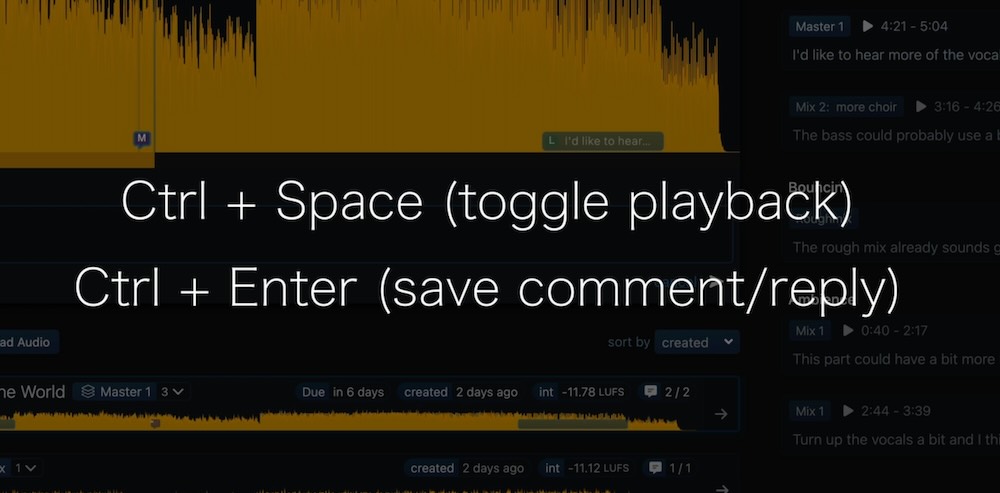
While writing a comment, you can now toggle audio playback with Ctrl + Space, so your workflow stays smooth and uninterrupted.
Toggle Play During Comments
Bug Fixes & Improvements
- This update comes with numerous bug fixes. However, if you still come across any issues, please reach out using the feedback button in the navigation bar or via our contact form.
-
-
Version 4.0.0
Thursday, October 3, 2024What's New
-
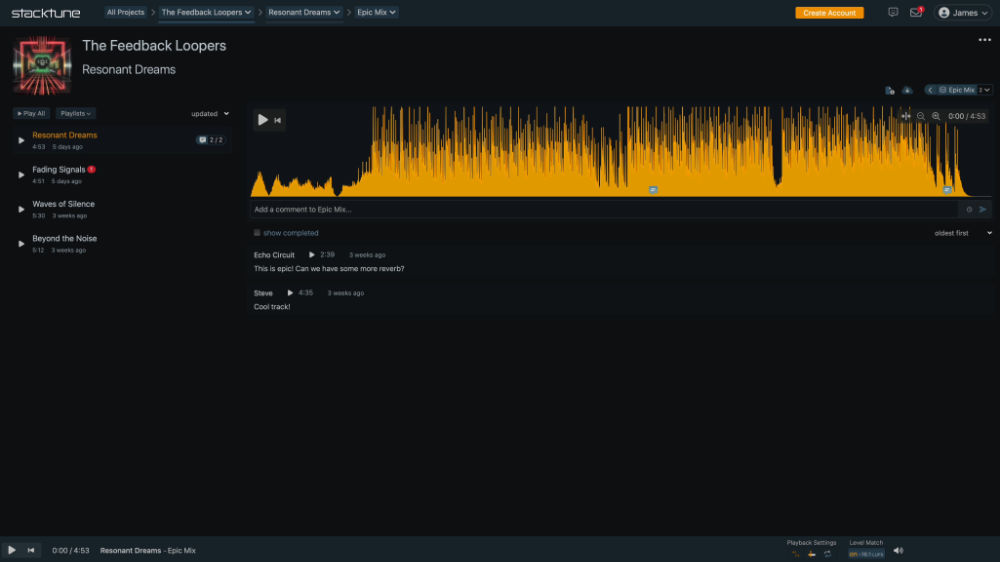
When inviting collaborators, you can now select between the "Member" and "Reviewer" roles. Members access the full layout, while reviewers see a simplified interface, ideal for clients, artists, and musicians focused on providing feedback without getting caught up in the details. The Reviewer role is also a great way for new users to get started.
Reviewer Role: Streamlined Interface
-
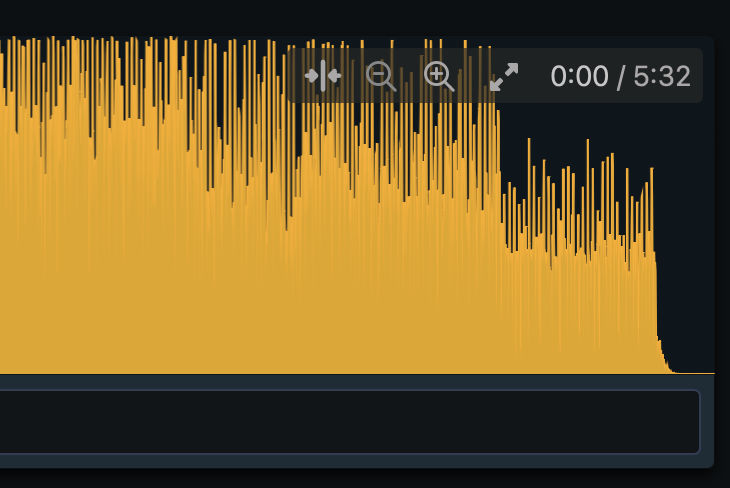
We've added a zoom feature to enhance comment precision, especially when working with long audio files or smaller screens. Use the plus and minus buttons to zoom, and the "catch" button to refocus on the current position after manual scrolling.
Waveform Zoom Feature
-
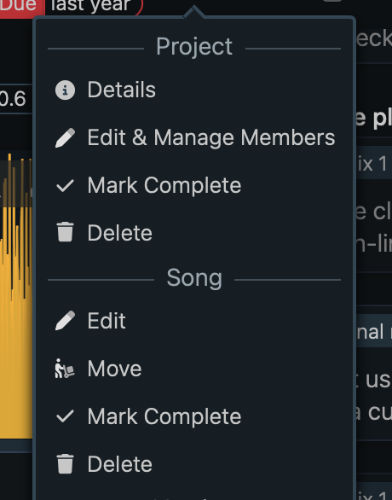
Easily stay organized by marking songs and projects as complete, giving you a clear view of your progress.
Mark Projects & Songs as Complete
-
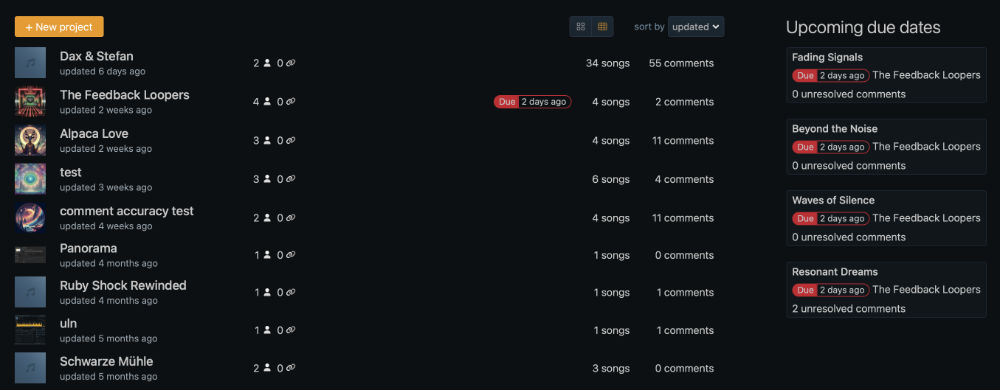
The updated table layout offers a clean, organized overview of all your projects, with a new "Upcoming Due Dates" section to help you stay on top of priorities.
New Projects Table Layout
-
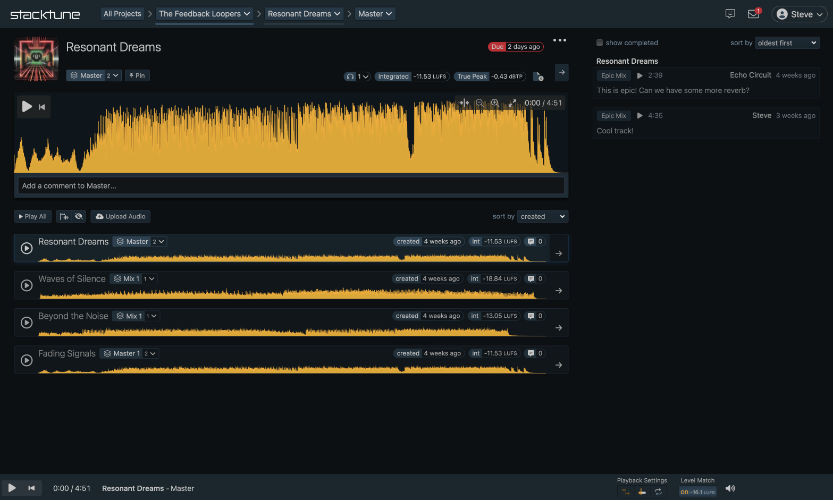
We’ve made subtle updates across the platform to reduce clutter and ensure a more consistent look and feel.
Layout Enhancements
-
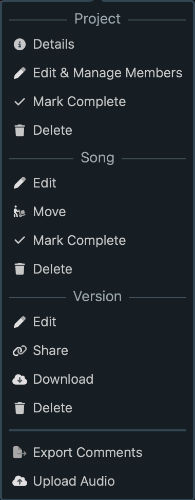
You can now manage members through the "Edit & Manage Members" option. Additionally, the context menu now includes headers for each section.
Member Management & Context Menu Updates
Bug Fixes & Improvements
- This update comes with numerous bug fixes. However, if you still come across any issues, please reach out using the feedback button in the navigation bar or via our contact form.
-
-
Version 3.1.0
Sunday, November 5, 2023What's New
-
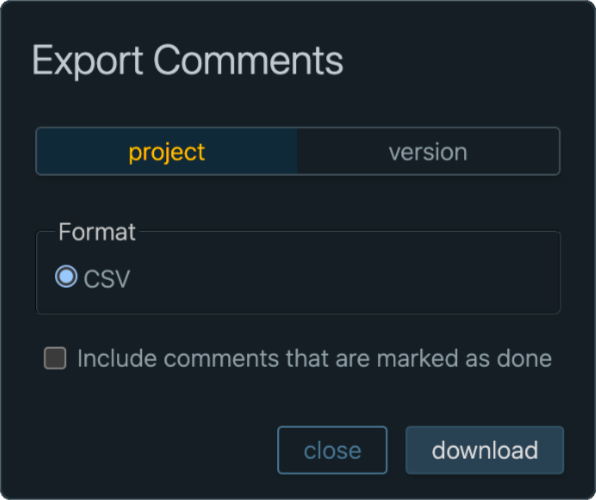
We're thrilled to introduce a highly requested feature that allows you to effortlessly export all comments across your entire project.
Export all comments for the entire project
-
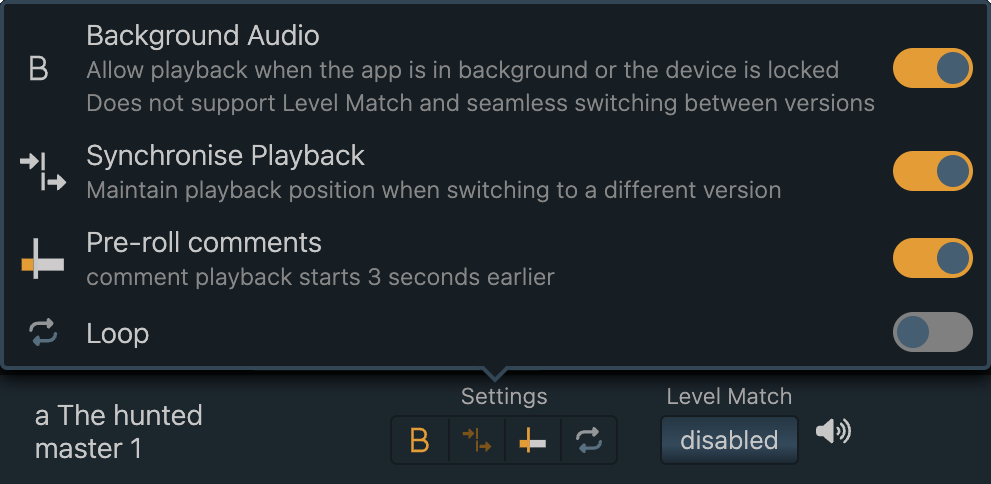
The new background playback mode provides uninterrupted playback of your current file on iOS, even when the app is running in the background or your screen is locked. For new iOS users, this is now the default setting. We've added this playback mode due to limitations in iOS that prevent any form of level match when playback in background is supported. However, we've made the experience seamless for you. If you wish to enable Level Match, we provide a helpful hint that clarifies this limitation and allows you to activate Level Match while concurrently disabling background playback.
iOS: Background playback mode
-
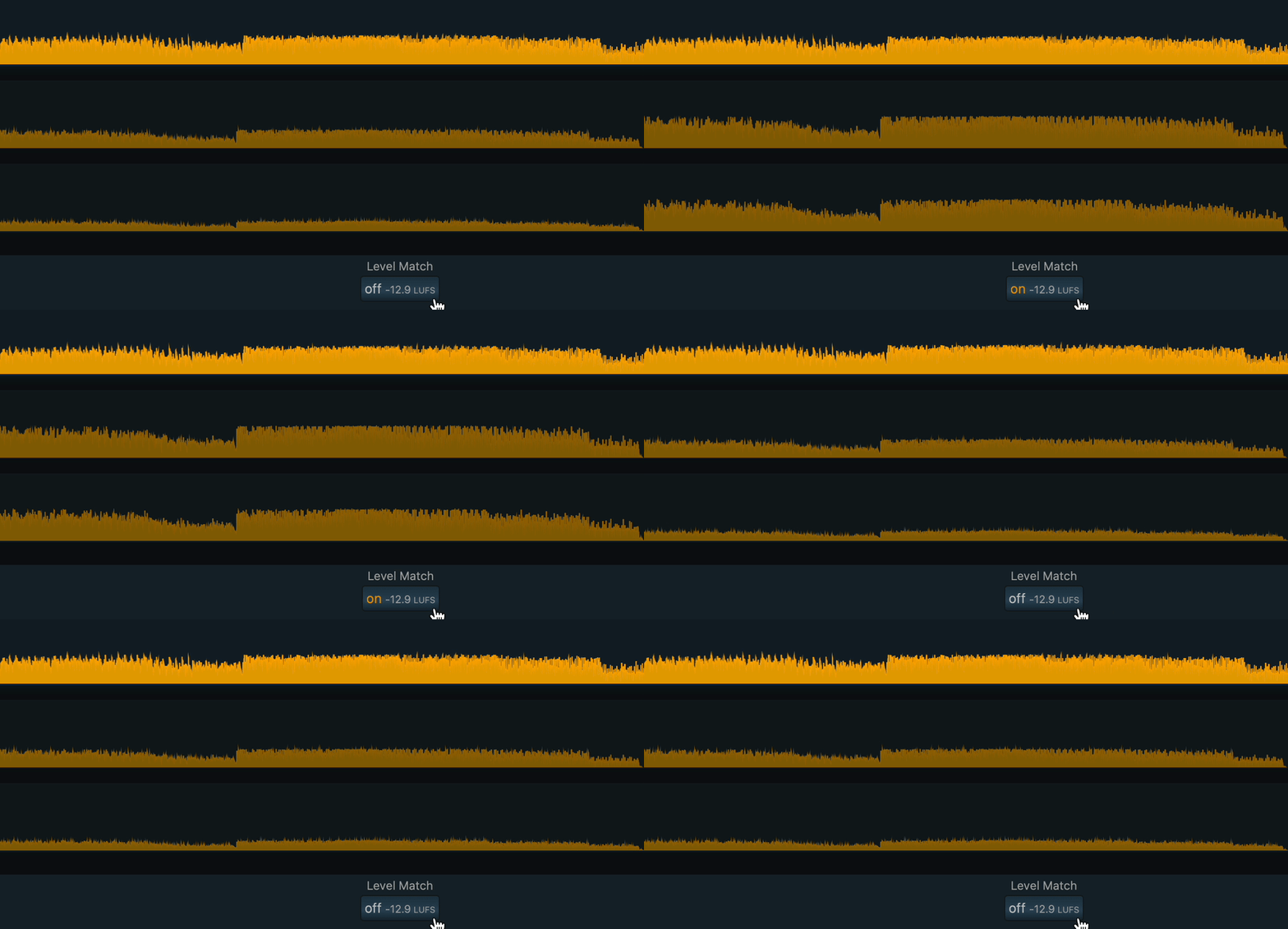
The waveforms in the song and version list dynamically adjust their height to illustrate the impact of Level Match.
Waveforms provide a visual representation of Level Match
-
-
Version 3.2.0
Sunday, November 5, 2023What's New
-
We're thrilled to introduce a highly requested feature that allows you to effortlessly export all comments across your entire project.
Export all comments for the entire project
-
The new background playback mode provides uninterrupted playback of your current file on iOS, even when the app is running in the background or your screen is locked. For new iOS users, this is now the default setting. We've added this playback mode due to limitations in iOS that prevent any form of level match when playback in background is supported. However, we've made the experience seamless for you. If you wish to enable Level Match, we provide a helpful hint that clarifies this limitation and allows you to activate Level Match while concurrently disabling background playback.
iOS: Background playback mode
-
The waveforms in the song and version list dynamically adjust their height to illustrate the impact of Level Match.
Waveforms provide a visual representation of Level Match
-